If you need to merge 2 records then you can use the Move Records screen in Lists to move exams/extra visits/CL screens and eGOS (England) from one patient to another. You have to move dispenses manually.
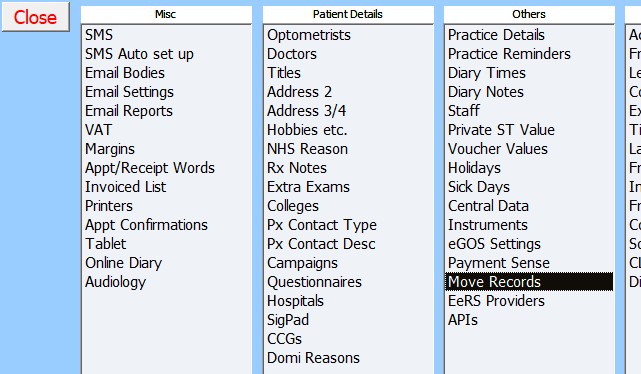
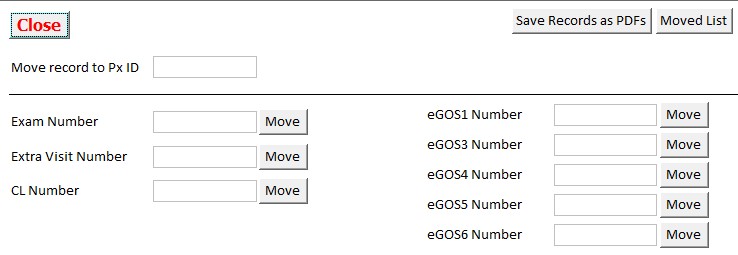
Find the record number for the record you want to move (see below) and the ID number of the patient that you want to move the record to. Enter the patient ID where the record needs to be moved to in the top box and then enter the record number into the appropriate box and click on “Move”.
- Exam number is found on bottom right of Final page of exam or main Exam screen for Opticabase Dispensing/Reception.
- Extra Visit number is found on bottom left of extra visit/Supp screen above “Print Record” button.
- CL number is found on bottom right of CL screen by the Lock tick box.
- eGOS number is found at the bottom of the box with instructions on using the form on each eGOS form.